共计 2773 个字符,预计需要花费 7 分钟才能阅读完成。
1 部署前准备
在自己目标目录创建affine文件夹来存放相关数据

部署操作
打开docker控制台
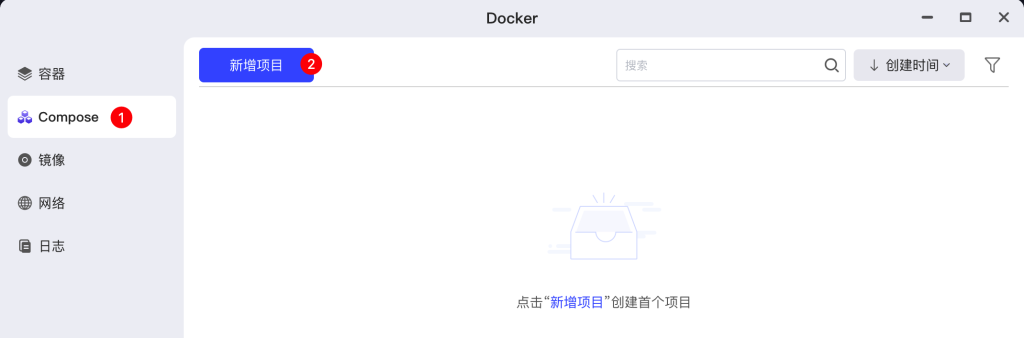
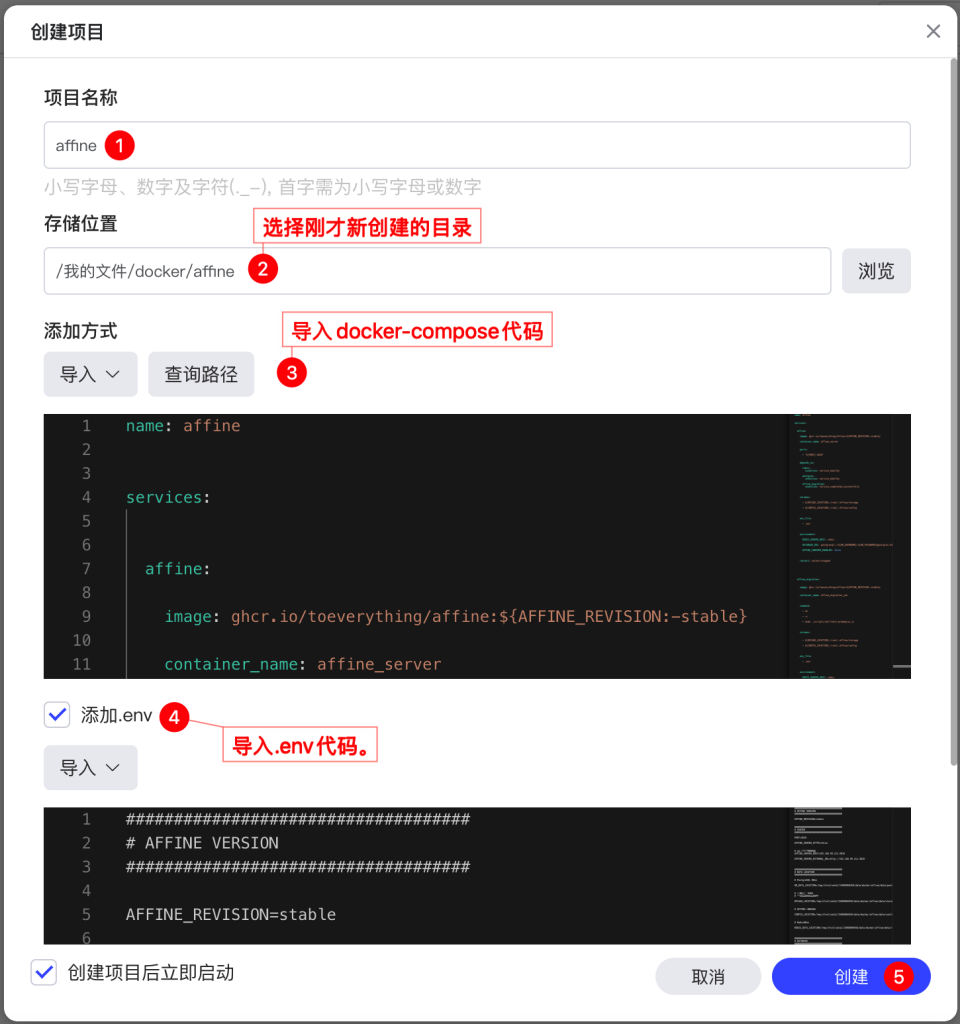
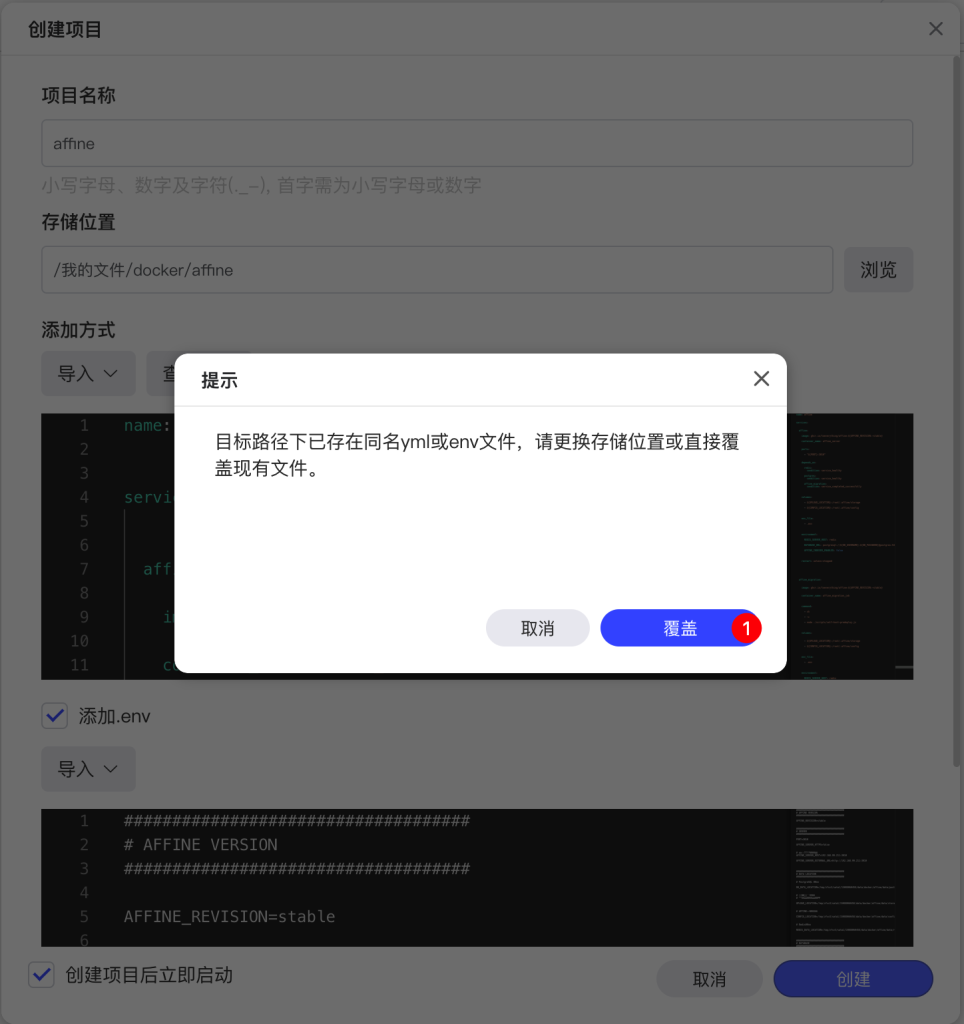
三 相关代码
官网链接:https://docs.affine.pro/self-host-affine/install/docker-compose-recommended
docker-compose代码 (这部分直接复制黏贴即可)
name: affine


services:


  affine:

    image: ghcr.io/toeverything/affine:${AFFINE_REVISION:-stable}

    container_name: affine_server


    ports:

      - "${PORT}:3010"


    depends_on:

      redis:
        condition: service_healthy

      postgres:
        condition: service_healthy

      affine_migration:
        condition: service_completed_successfully


    volumes:

      - ${UPLOAD_LOCATION}:/root/.affine/storage

      - ${CONFIG_LOCATION}:/root/.affine/config


    env_file:

      - .env


    environment:

      REDIS_SERVER_HOST: redis

      DATABASE_URL: postgresql://${DB_USERNAME}:${DB_PASSWORD}@postgres:5432/${DB_DATABASE}

      AFFINE_INDEXER_ENABLED: false


    restart: unless-stopped


  affine_migration:


    image: ghcr.io/toeverything/affine:${AFFINE_REVISION:-stable}


    container_name: affine_migration_job


    command:

      - sh

      - -c

      - node ./scripts/self-host-predeploy.js


    volumes:


      - ${UPLOAD_LOCATION}:/root/.affine/storage

      - ${CONFIG_LOCATION}:/root/.affine/config


    env_file:

      - .env


    environment:

      REDIS_SERVER_HOST: redis

      DATABASE_URL: postgresql://${DB_USERNAME}:${DB_PASSWORD}@postgres:5432/${DB_DATABASE}

      AFFINE_INDEXER_ENABLED: false


    depends_on:


      postgres:

        condition: service_healthy


      redis:

        condition: service_healthy


  redis:


    image: redis:7


    container_name: affine_redis


    volumes:

      - ${REDIS_DATA_LOCATION}:/data


    healthcheck:


      test:

        [
          "CMD",
          "redis-cli",
          "--raw",
          "incr",
          "ping"
        ]


      interval: 10s

      timeout: 5s

      retries: 5


    restart: unless-stopped


  postgres:


    image: pgvector/pgvector:pg16


    container_name: affine_postgres


    volumes:


      - ${DB_DATA_LOCATION}:/var/lib/postgresql/data


    environment:


      POSTGRES_USER: ${DB_USERNAME}


      POSTGRES_PASSWORD: ${DB_PASSWORD}


      POSTGRES_DB: ${DB_DATABASE}


      POSTGRES_INITDB_ARGS: "--data-checksums"


      POSTGRES_HOST_AUTH_METHOD: trust


    healthcheck:


      test:

        [
          "CMD",
          "pg_isready",
          "-U",
          "${DB_USERNAME}",
          "-d",
          "${DB_DATABASE}"
        ]


      interval: 10s

      timeout: 5s

      retries: 5


    restart: unless-stopped
.env代码(需将IP地址以及路径更改成自己实际路径)
####################################
# AFFINE VERSION
####################################

AFFINE_REVISION=stable


####################################
# SERVER
####################################

PORT=3010

AFFINE_SERVER_HTTPS=false


# 极空间访问地址
AFFINE_SERVER_HOST=192.168.99.253:3010

AFFINE_SERVER_EXTERNAL_URL=http://192.168.99.253:3010


####################################
# DATA LOCATION
####################################

# PostgreSQL 数据

DB_DATA_LOCATION=/tmp/zfsv3/sata1/150xtansuo.com/data/docker/affine/data/postgres


# 用户上传文件
# 图片、附件、资源

UPLOAD_LOCATION=/tmp/zfsv3/sata1/150xtansuo.com/data/docker/affine/data/storage


# AFFINE配置文件

CONFIG_LOCATION=/tmp/zfsv3/sata1/150xtansuo.com/data/docker/affine/data/config


# Redis数据

REDIS_DATA_LOCATION=/tmp/zfsv3/sata1/150xtansuo.com/data/docker/affine/data/redis


####################################
# DATABASE
####################################

DB_USERNAME=affine

DB_PASSWORD=150xtansuo.com

DB_DATABASE=affine
四 部署结果
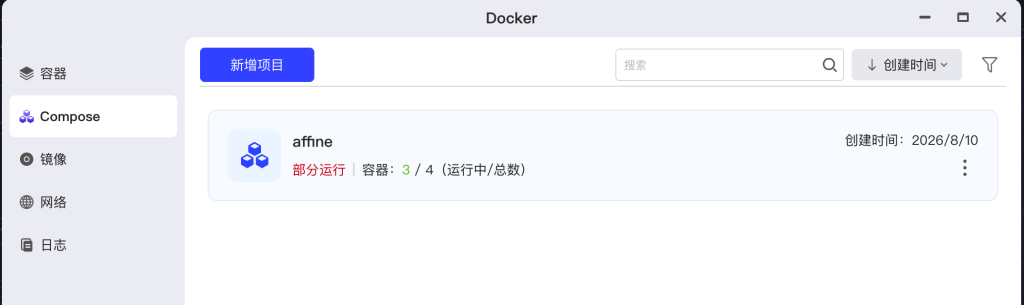
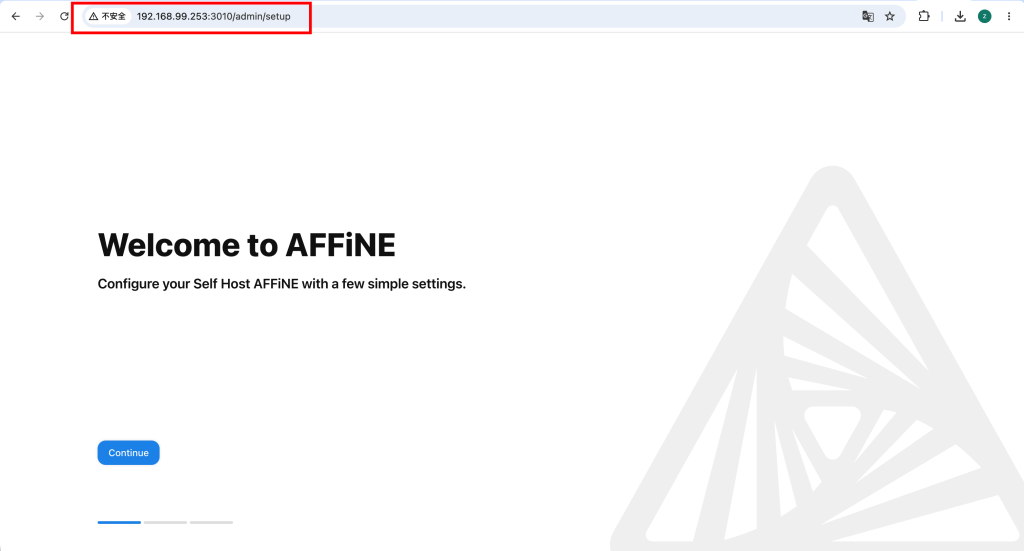
在浏览器输入 http://IP:3010
正文完